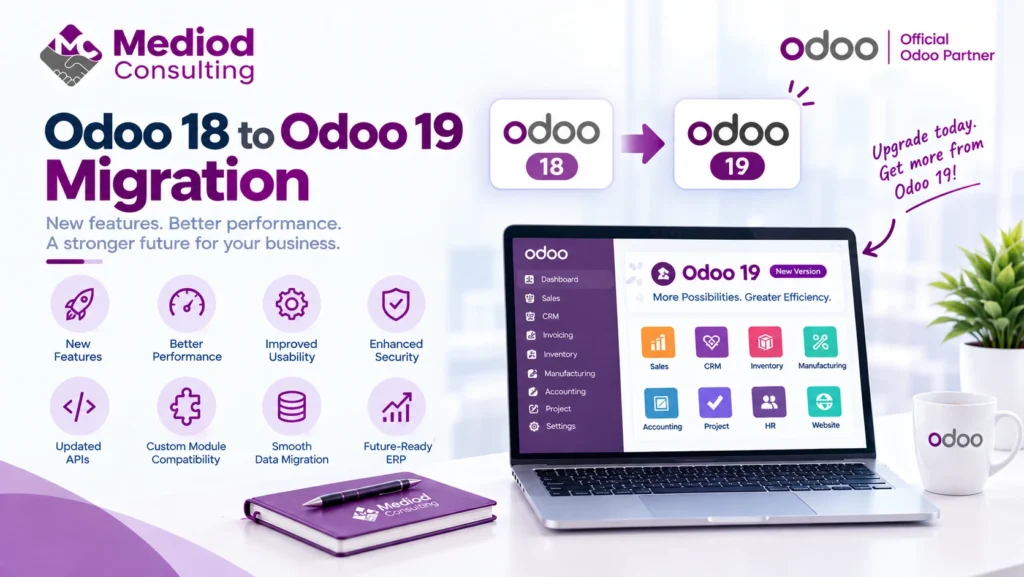
Odoo 19 brings the usual mix that comes with any major version release — new features, performance improvements, and changes under the hood that affect how a migration from Odoo 18 actually plays out. Here’s what businesses on Odoo 18 should know before migrating.
What changes between Odoo 18 and Odoo 19
Beyond new features, each version release includes internal changes — updated APIs, adjustments to core module behavior, and occasionally deprecated functionality from the previous version. The specifics matter less in the abstract than in how they affect your particular setup, which is why a proper migration always starts with reviewing your actual configuration and customizations against the new version’s changelog, not assuming a generic migration plan applies.
What to check before migrating from 18 to 19
Before starting, we generally recommend confirming that any custom modules you’re running have been reviewed for Odoo 19 compatibility, checking that third-party apps from the marketplace have compatible releases for the new version, and reviewing your current configuration for anything relying on functionality that may have changed.
The migration process for this specific version jump
A single-version migration (18 to 19, rather than jumping multiple versions) is generally more contained than a multi-version leap, since fewer accumulated changes need to be reviewed. The core process still follows the same structure — migrate a copy of your database, test thoroughly in staging, review custom code, and plan a cutover window — just with a narrower scope of changes to account for.
Timing considerations
Odoo typically releases a new major version annually, which means businesses migrating one version at a time (rather than letting several versions accumulate) generally have smaller, more manageable migrations each time. If you’re currently on Odoo 18 and current, migrating to 19 promptly rather than waiting keeps future migrations smaller too.
What we recommend for this migration specifically
Start with an inventory of your customizations and installed apps, checked against Odoo 19’s compatibility, before committing to a timeline. This upfront assessment is what turns a migration from a guess into an actual project plan with a realistic estimate.
Frequently Asked Questions
Is migrating from Odoo 18 to 19 more or less involved than other version jumps?
Generally less involved than a multi-version jump, since there’s only one version’s worth of changes to account for rather than several accumulated versions.
Should I wait for a later Odoo 19 point release before migrating?
This depends on your risk tolerance — later point releases have had more real-world testing, though waiting also delays getting the new version’s improvements. We generally recommend evaluating based on your specific stability needs.
Will my Odoo 18 customizations work without changes on Odoo 19?
Some will, some may need adjustment — this is exactly what the compatibility review process before migration is meant to identify.
Plan Your Odoo 18 to 19 Migration
A single-version migration is more manageable when planned properly rather than rushed. Talk to Mediod Consulting about migrating from Odoo 18 to Odoo 19.