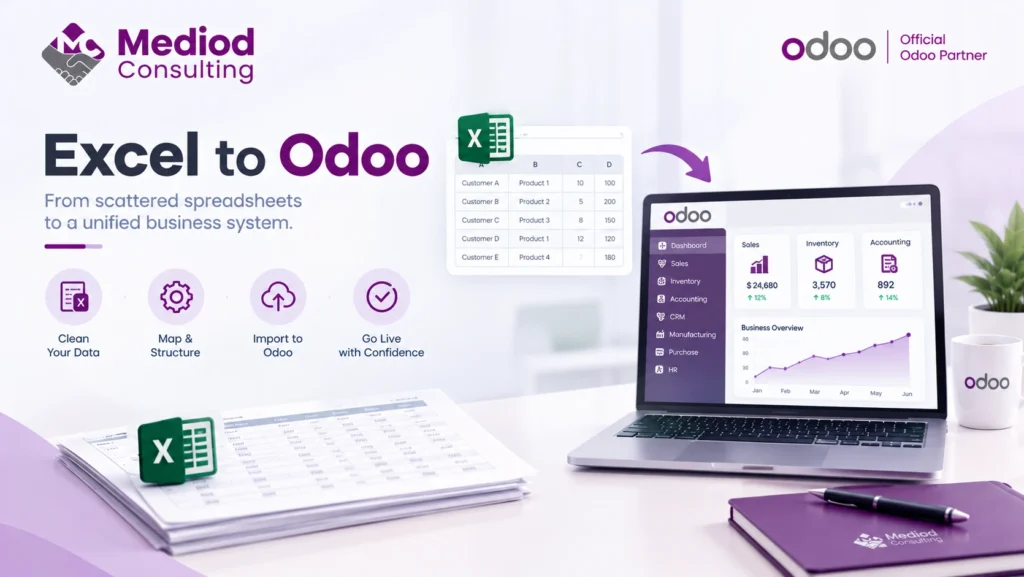
A huge number of businesses aren’t migrating from another ERP at all — they’re migrating from a patchwork of spreadsheets that grew organically until they became the de facto system of record. This is a genuinely different migration than moving between two structured systems, with its own specific challenges.
Why spreadsheet-based businesses eventually migrate
Spreadsheets work well for a while — until multiple people are editing the same file, version conflicts start happening, formulas break silently, or the business simply outgrows what a spreadsheet can reasonably track. By the time a business is seriously considering Odoo, spreadsheets are usually already causing real friction: lost updates, no audit trail, and no way to connect what’s tracked in one spreadsheet to another.
What makes this migration different
Unlike migrating from another ERP, spreadsheet data often has no consistent structure — different formats, inconsistent naming, manually entered data with typos and duplicates that a structured system would have caught. The real work in an Excel-to-Odoo migration is often more about cleaning and structuring the data than technically moving it, since spreadsheets don’t enforce the data integrity a database does.
Common data cleaning issues
Duplicate customer or product entries created because someone couldn’t find the existing one, inconsistent units of measure or naming conventions across different spreadsheets, and missing or inconsistent historical data are all common in spreadsheet-based businesses. Cleaning this up before migration — not after — avoids importing years of accumulated inconsistency directly into a new system.
Structuring data for import
Odoo supports CSV import with field mapping, which is the practical path for migrating spreadsheet data — but it requires your spreadsheet data to be reshaped into a structure Odoo can actually import cleanly, which is rarely how the original spreadsheets were organized for day-to-day use.
The upside: less legacy baggage
One genuine advantage of migrating from spreadsheets rather than another ERP: there’s no old system’s data model or customization to reconcile against. This is often a cleaner opportunity to set up Odoo correctly from the start, rather than carrying forward structural decisions made in a different platform.
Frequently Asked Questions
How long does migrating from spreadsheets to Odoo typically take?
This depends more on data quality than volume — clean, well-organized spreadsheets migrate quickly, while messy, inconsistent data requires real cleanup time before it can be imported reliably.
Can Odoo import directly from Excel files?
Yes, through CSV import (Excel files typically need to be exported to CSV first) with field mapping to match your spreadsheet columns to the correct Odoo fields.
Should we clean up our spreadsheet data before or during migration?
Before, ideally — importing messy data and cleaning it up inside Odoo afterward is generally more disruptive than cleaning the source spreadsheets first.
Turn Spreadsheet Chaos Into a Real System
Moving from spreadsheets to Odoo is a chance to finally get consistent, trustworthy data — if the migration is done thoughtfully. Talk to Mediod Consulting about migrating your business from spreadsheets to Odoo.