When companies plan an Odoo rollout, one question comes up early: do we really need to pay a full licence for every employee? In most cases the answer is no. Odoo now has four access levels — Portal, Light, User and Administrator — and the new Light User role lets front-line and self-service staff work inside Odoo at a fraction of the cost of a full user.
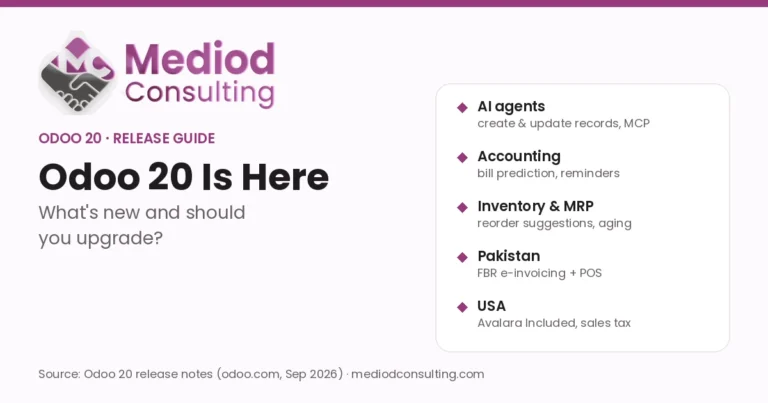
As an Official Odoo Partner, Mediod Consulting sizes licences for clients every week. This guide explains what a Light User can do, who fits the role, and the settings that quietly turn a Light User into a paid Full user. This article is part of our Odoo 20 series — start with Odoo 20: what’s new and should you upgrade?.
Key takeaways
- A Light User is for employees who use Odoo for their own work (time off, expenses, attendance) or front-line tasks (POS, barcode, shop floor, planning, field service).
- Light Users cannot use core business apps such as Sales, Purchase or Accounting, or change configuration.
- In a typical 100-person company, only 20–30 people need full access; the rest can often be Light Users.
- Giving a Light User access to a core app automatically upgrades them to a billed Full user.
- Odoo counts active employee records without a user account as Light Users — include them in your quote.
The four Odoo access levels
- Portal user — customers, vendors and partners who log in to your website portal to see quotes, invoices, tickets or timesheets. Free.
- Light User — employees who only handle their own HR tasks or front-line work. Light pricing.
- User — employees who sell, buy, invoice, run projects or manage other people’s records. Full user pricing.
- Administrator — owners, IT staff and key users who configure the database and manage users. Full user pricing.
What a Light User can do
According to Odoo’s pricing page, Light Users get:
- Self-service: My Time Off, My Expenses, My Appraisals, My Attendances, My Referrals and My Planning.
- Front-line tools: Field Service, Inventory Barcode operator, Point of Sale and the Manufacturing Shop Floor.
- Payslips and read-only access to Knowledge articles.
Odoo 20 also lets administrators restrict Light Users to the Barcode module only — useful for warehouse teams who should see nothing else.
What a Light User can’t do
Light Users have no access to core business apps such as Sales, Purchase and Accounting. They can’t create quotes, approve purchases, post invoices, configure projects, customize Odoo or change settings. If someone needs any of that, they need a Full user licence.
Why Light Users save money
Most employees don’t manage the books, send quotes or buy stock. They clock in, request leave, scan boxes or ring up sales. Paying a full licence for those roles rarely makes sense.
- Lower licence costs: pay full price only for people who need full access.
- One system for everyone: no separate HR, attendance or shift tools on the side.
- Tighter security: staff only see what their job requires.
- Predictable growth: hiring more hourly or front-line staff doesn’t multiply your bill at full-user rates.
Example: in a 100-person distribution company, the sales reps, buyers, accountants and managers (say 25 people) need full access. The other 75 — warehouse pickers, drivers, cashiers and technicians — can usually work as Light Users.
How to decide: Light User or Full user?
Ask three questions for each employee:
- Do they create or approve quotes, orders, invoices, purchases or projects? If yes, they need a Full user licence.
- Do they configure Odoo or manage other people’s records? If yes, they are a Full user or Administrator.
- Is their work limited to their own HR tasks or front-line jobs (POS, scanning, shop floor, field service, shifts)? If yes, they fit the Light User profile.
Watch-outs for administrators
- Accidental upgrades: granting a Light User access to Sales, Purchase or another core app automatically makes them a billed Full user. Review access rights before each renewal.
- Employees without logins count: Odoo defines a Light User as any active user marked “Light” or any active employee record not linked to an active non-portal user. Archive leavers and count every active employee when you ask for a quote.
- Getting the licence: Odoo currently provides Light User pricing through a quote from an Odoo advisor or partner, so plan it into your subscription conversation.
To set the role, go to Settings → Users & Companies → Users, open the user and set the Role to Light.
Plan your licence mix before you buy or renew
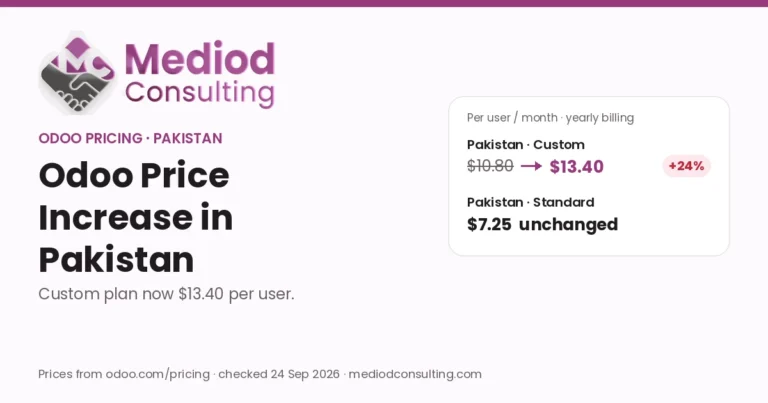
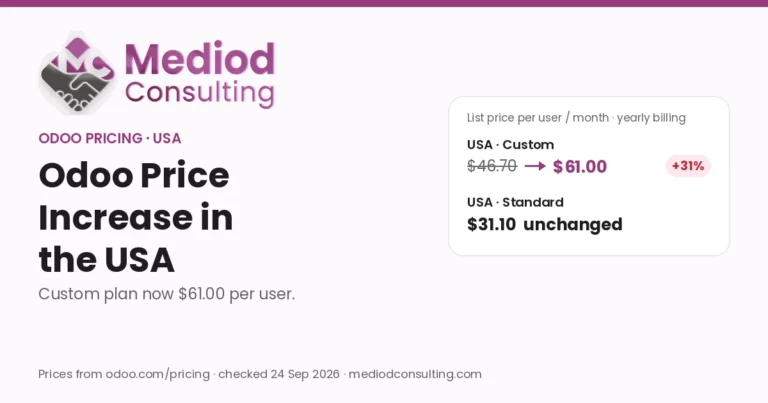
Light Users arrived alongside a 20–31% increase to the Custom plan, so getting the user mix right matters more than ever. Our Odoo subscription & licensing service maps every role to the cheapest licence that still covers the work, and our guide to optimizing Odoo subscription costs covers the other levers. You can also explore Odoo Employees and HR apps on odoo.com.
More from our Odoo 20 series
- Odoo 20 Is Here: What’s New and Should You Upgrade?
- Mediod Consulting at Odoo Experience 2026: Exploring Odoo 20 AI
Buying or renewing Odoo?
Start your subscription through Mediod’s Odoo partner link, then email info@mediodconsulting.com (before or after you purchase) and we apply a 22% discount to your Odoo subscription. Prefer to see it first? Use partner code M23052984318833 for a free 30-day Odoo demo database.
Want a second opinion on your plan, user mix or renewal quote? Book a free discovery call or request a quotation.
Disclosure: Mediod Consulting is an official Odoo Partner. Links marked as partner links may earn us a commission at no extra cost to you.
Frequently Asked Questions
What is a Light User in Odoo?
A Light User is an internal user who only uses Odoo for their own HR tasks (time off, expenses, attendance, appraisals, payslips) or front-line work such as Point of Sale, Inventory Barcode, Shop Floor, Planning and Field Service. They cost less than a full user.
Can a Light User access Sales or Accounting?
No. Light Users have no access to core business apps such as Sales, Purchase and Accounting. Giving them access to one of those apps automatically upgrades them to a billed full user.
Do employees without an Odoo login count as Light Users?
Yes. Odoo’s pricing page counts any active employee record that isn’t linked to an active non-portal user account as a Light User, so include every active employee in your licence planning.
How do I set a user as a Light User?
Go to Settings → Users & Companies → Users, open the user and set the Role field to Light.
Source: Light User definition and capabilities from odoo.com/pricing (checked 30 September 2026). Prices and licence terms differ by country and can change — confirm them on your own quote.