Update · September 2026
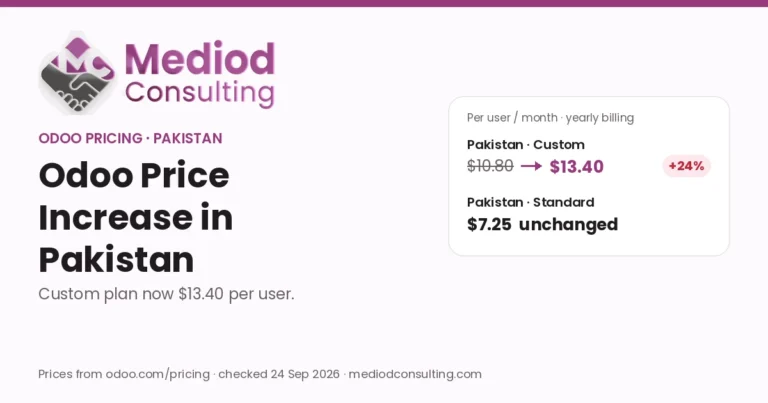
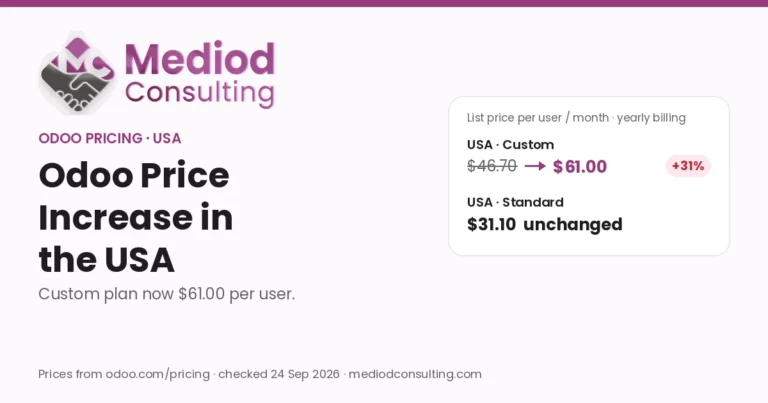
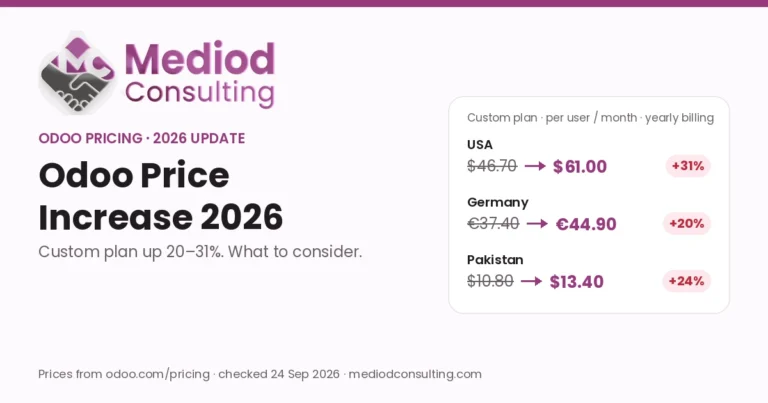
The Custom plan price has now gone up by 20–31% depending on the country, while Standard is unchanged. See Odoo price increase 2026 for current prices in the USA, Germany and Pakistan.
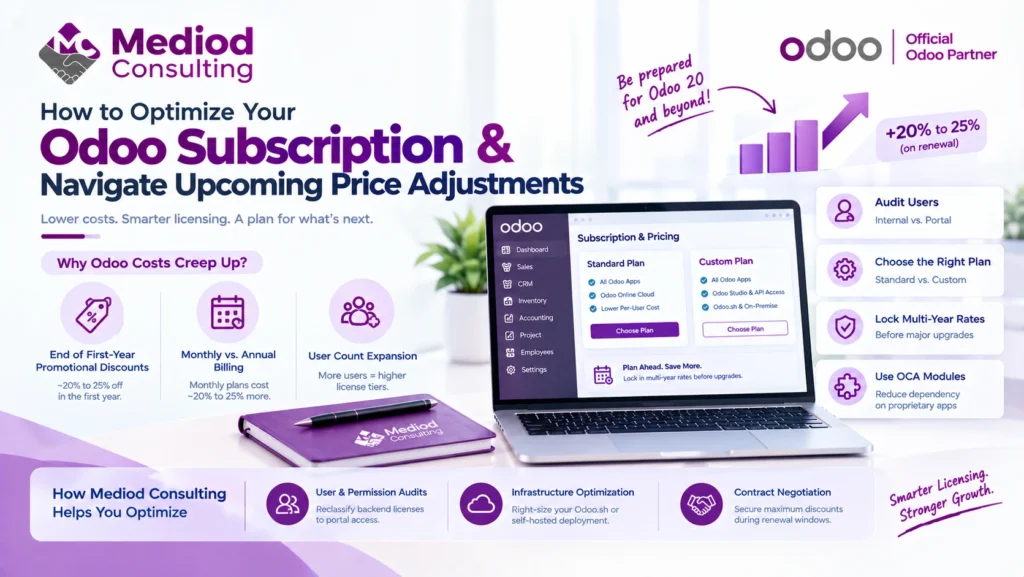
Managing software costs is a balancing act for every growing business. As companies gear up for Odoo 20, navigating license costs efficiently becomes crucial. With multi-year contract renewals adjusting from introductory promotional rates and periodic regional pricing shifts—often amounting to effective 20% to 25% cost increases upon renewal—implementing a proactive optimization strategy is essential.
Understanding how Odoo’s subscription model works—and where license bloat occurs—can help you optimize your annual contract before your next renewal cycle.
1. Why Odoo Costs Creep Up (The “20% Jump”)
Many organizations experience a price bump when transitioning past their initial contract. Understanding why this happens helps prevent budget surprises:
- End of First-Year Promotional Discounts: Odoo typically offers a ~20% to 25% first-year introductory discount for new users. When your contract renews into year two, pricing automatically adjusts to the standard list rate.
- Monthly vs. Annual Billing: Billed monthly? You pay roughly 20% to 25% more per user compared to committing to an annual or multi-year subscription contract.
- User Count Expansion: Adding unmonitored internal accounts throughout the year leads to sudden tier jumps upon invoice renewal.
2. Tactical Steps to Optimize Your Odoo ERP Pricing
Audit Your Active Users (Internal vs. Portal)
Odoo charges per internal user (users who log into backend menus to create or edit records). External users, vendor portals, and customer portal logins are 100% free.
- Action: Audit your user list. Downgrade inactive staff, warehouse operators who only view status updates, or external contractors to Portal Access.
Evaluate Standard vs. Custom Plan Needs
The Standard Plan covers all core Odoo apps on Odoo Online. The Custom Plan is higher per user/month and is required only if you use Odoo Studio, run multi-company databases, utilize external APIs, or host on Odoo.sh / On-Premise.
- Action: If you are paying for the Custom Plan strictly for minor modifications, consider refactoring your setup to run on native configurations or community modules.
| Standard plan | Custom plan |
|---|---|
| Best for standard cloud use | Multi-company, Odoo Studio & API needs |
| All Odoo apps | All Odoo apps |
| Odoo Online (cloud) hosting | Odoo Studio & external API access |
| Lower per-user cost | Odoo.sh or on-premise hosting |
Lock In Multi-Year Rates Before Version Upgrades
If you are planning to upgrade to Odoo 20, lock in your user licensing on multi-year agreements prior to system migrations. Locking in 3-to-5-year contracts shields your business against annual rate increases and locks in baseline user discounts.
Utilize the Odoo Community Association (OCA) Ecosystem
For functions where Odoo Enterprise requires extra license tiers or proprietary apps, leverage open-source OCA modules on Community deployments to reduce dependency on high-tier proprietary add-ons.
3. How Mediod Consulting Helps You Optimize
At Mediod Consulting, we perform license and architecture audits to ensure you pay only for what you use:
- User & Permission Audits: Reclassifying backend licenses to free Portal access.
- Infrastructure Optimization: Right-sizing your Odoo.sh or self-hosted deployment to prevent resource waste.
- Contract Negotiation: Assisting during annual renewal windows to secure maximum contractual discounts.