Odoo ERP Software: Complete Guide to Odoo Enterprise Resource Planning
Businesses today often use separate software for sales, accounting, inventory, purchasing, customer management, manufacturing, ecommerce, and other operations. While individual applications can solve specific problems, managing multiple disconnected systems can create duplicate data, manual work, integration challenges, and limited visibility.
Odoo ERP software provides an alternative by bringing multiple business applications together on an integrated ERP platform.
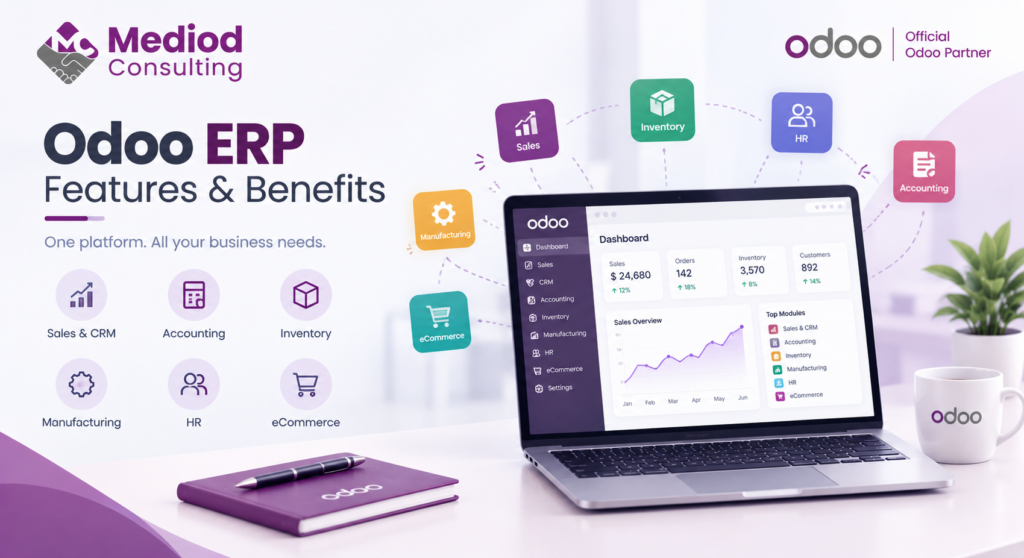
Odoo can help businesses manage their core operations through applications for CRM, sales, accounting, inventory, purchasing, manufacturing, ecommerce, projects, HR, marketing, helpdesk, and more.
But choosing an ERP is not simply about the number of features available. The right ERP should fit your business processes, integrate with your existing systems, support future growth, and provide a reasonable total cost of ownership.
This guide explains what Odoo ERP software is, how it works, its main applications, benefits, customization options, implementation considerations, and whether Odoo is suitable for your business.
What Is Odoo ERP Software?
Odoo is an integrated enterprise resource planning platform that provides a suite of business applications within one ecosystem.
Instead of managing separate systems for CRM, sales, inventory, accounting, purchasing, manufacturing, and ecommerce, businesses can connect these processes through Odoo.
For example, a typical sales process can flow through:
Lead → Opportunity → Quotation → Sales Order → Delivery → Invoice → Payment
A manufacturing workflow can connect:
Sales → Procurement → Inventory → Manufacturing → Quality → Delivery → Accounting
Because these processes can operate within the same ERP environment, businesses can reduce duplicate data entry and improve visibility across departments.
What Can Odoo ERP Manage?
Odoo provides applications covering a wide range of business processes.
CRM
The Odoo CRM application helps businesses manage:
- Leads
- Opportunities
- Sales pipelines
- Activities
- Customer interactions
- Sales forecasting
Sales teams can track opportunities from the initial lead through to quotation and order.
Sales
Odoo Sales supports:
- Quotations
- Sales orders
- Pricelists
- Discounts
- Customer invoices
- Online payments
- Sales reporting
Sales information can also connect directly with inventory, delivery, and accounting workflows.
Accounting
Odoo Accounting provides tools for managing:
- Customer invoices
- Vendor bills
- Payments
- Bank transactions
- Taxes
- Financial reports
- Budgets
- Analytic accounting
Businesses operating in different countries can also use relevant fiscal localization features.
Inventory
Odoo Inventory is designed to manage:
- Warehouses
- Stock movements
- Receipts
- Deliveries
- Transfers
- Reordering
- Barcode operations
- Inventory adjustments
This allows businesses to connect inventory operations with sales, purchasing, and manufacturing.
Purchase
The Purchase application can manage:
- Purchase requests
- Requests for quotation
- Purchase orders
- Vendor information
- Vendor pricing
- Receipts
- Reordering
Purchasing can be connected to inventory and replenishment processes.
Manufacturing
Odoo Manufacturing supports production processes such as:
- Bills of materials
- Manufacturing orders
- Work centers
- Work orders
- Production planning
- Quality control
- Maintenance
- Product lifecycle management
This makes Odoo relevant for manufacturers that need an integrated ERP rather than separate manufacturing and accounting systems.
Ecommerce
Odoo Ecommerce allows businesses to create and manage online stores while connecting ecommerce operations with other ERP processes.
A typical workflow can be:
Online Store → Sales Order → Inventory → Delivery → Invoice → Accounting
Businesses that already use platforms such as Shopify can also consider an Odoo integration rather than replacing their ecommerce platform.
Project Management
Odoo Project can help service businesses and internal teams manage:
- Projects
- Tasks
- Milestones
- Timesheets
- Planning
- Project profitability
Human Resources
Odoo also provides applications for areas such as:
- Employees
- Recruitment
- Time Off
- Attendance
- Appraisals
- Expenses
- Payroll, depending on localization and configuration
Marketing
Marketing applications can support:
- Email marketing
- Marketing automation
- SMS marketing
- Social marketing
- Events
- Surveys
Helpdesk
Odoo Helpdesk can be used to manage customer support tickets, service requests, SLAs, and support workflows.
How Does Odoo ERP Work?
Odoo is built around an integrated and modular architecture.
At a high level, the system connects:
Users → Odoo Interface → Business Applications → Odoo Framework → PostgreSQL Database
External systems can connect through APIs and integration modules.
For example:
Shopify → Integration → Odoo → Inventory / Sales / Accounting
or:
Odoo → Accounting Integration → External Accounting System
This architecture allows businesses to create connected workflows while still integrating Odoo with systems they need to retain.
Why Do Businesses Choose Odoo ERP?
There are several reasons businesses consider Odoo.
1. One Integrated Business Platform
Odoo can bring multiple business functions together instead of requiring separate applications for every department.
2. Modular Implementation
Businesses don’t necessarily need to implement every application at once.
A company can begin with a smaller scope and expand as requirements grow.
3. Business Process Automation
Odoo can automate repetitive processes such as:
- Sales workflows
- Purchase approvals
- Inventory replenishment
- Invoice generation
- Email notifications
- Customer follow-ups
- Approval processes
Automation can reduce manual work and improve consistency.
4. Customization
Odoo can be adapted to business-specific requirements through configuration, Studio, automated actions, custom modules, and integrations.
5. Integrated Reporting
Because different applications can share data, management can obtain a more connected view of business performance.
6. Broad Application Coverage
Businesses can manage many departments through one ERP ecosystem rather than continually adding separate software products.
7. Integration Capabilities
Odoo can be connected with ecommerce platforms, payment systems, accounting software, logistics providers, marketplaces, and custom applications.
Can Odoo Be Customized?
Yes. Odoo can be customized to support business-specific processes.
Customization can range from simple configuration to full custom development.
Configuration
Many requirements can be handled through standard Odoo configuration, including:
- User permissions
- Workflows
- Pricelists
- Taxes
- Warehouses
- Routes
- Accounting settings
Odoo Studio
Odoo Studio can be used for many no-code or low-code customizations, including:
- Custom fields
- Views
- Automated actions
- Approval rules
- Reports
- Business logic
Custom Odoo Modules
More complex requirements may require custom development.
Examples include:
- Complex approval workflows
- Industry-specific functionality
- Custom reports
- Specialized inventory processes
- Custom manufacturing logic
- Advanced integrations
A good implementation strategy should always evaluate standard functionality before introducing custom code.
Odoo Integration With Other Systems
Businesses rarely operate using only one software platform.
Odoo can be integrated with systems such as:
- Shopify
- Ecommerce platforms
- Payment gateways
- Accounting systems
- Logistics platforms
- Marketplaces
- CRM systems
- HR applications
- Custom software
The integration approach depends on the systems involved and the data that needs to be synchronized.
A well-designed integration should define which system is the source of truth for each type of data.
For example:
Product Master → Odoo
Online Orders → Shopify → Odoo
Accounting Data → Odoo → Accounting Platform
This prevents duplicate records and conflicting information.
Odoo for Small Businesses
Odoo can be suitable for small businesses that want to replace spreadsheets or disconnected applications with an integrated ERP system.
A small company may start with:
CRM + Sales + Accounting
A growing company might add:
Inventory + Purchase + Ecommerce
A manufacturing company may later add:
Manufacturing + Quality + Maintenance
The important point is to implement the functionality the business actually needs rather than introducing unnecessary complexity.
Odoo for Medium-Sized Businesses
Medium-sized businesses can use Odoo to connect departments that may currently operate independently.
Common requirements include:
- Multiple warehouses
- Purchasing
- Inventory
- Manufacturing
- Ecommerce
- Accounting
- CRM
- Advanced reporting
- Business automation
- Third-party integrations
At this stage, implementation planning becomes particularly important because changes in one department can affect several connected workflows.
Odoo for Manufacturing Companies
Odoo can be used as an integrated manufacturing ERP.
A typical manufacturing process might connect:
Sales Forecast → Procurement → Inventory → Manufacturing → Quality → Delivery → Accounting
This can provide greater visibility across production and supply chain operations.
Manufacturing companies should carefully evaluate requirements such as:
- Bills of materials
- Variants
- Routing
- Work centers
- Subcontracting
- Quality control
- Maintenance
- Inventory valuation
- Procurement
- Production planning
Complex manufacturing requirements may require configuration or custom development.
Odoo for Ecommerce Businesses
Odoo can provide an ERP layer behind an ecommerce business.
Instead of managing ecommerce orders separately from inventory and accounting, businesses can connect:
Website → Ecommerce → Sales → Inventory → Delivery → Accounting
Companies already using Shopify or another ecommerce platform can also integrate that platform with Odoo.
The objective should be to synchronize the required information without creating duplicate business processes.
Odoo Community vs Enterprise
Odoo is available in Community and Enterprise editions.
The right edition depends on the functionality, support, hosting, and business requirements of the company.
Odoo Community
Community is the open-source edition and can be appropriate for businesses that require the functionality available in the Community edition and have the technical capability to manage their environment.
Odoo Enterprise
Enterprise provides additional applications and services and is available under Odoo’s Enterprise licensing model.
Businesses should compare the editions based on actual requirements rather than choosing an edition solely because it has more features.
Odoo Online, Odoo.sh, or Self-Hosted?
Odoo can be deployed in different environments.
Odoo Online
A managed cloud environment that can be suitable for businesses using standard Odoo functionality.
Odoo.sh
A development and hosting platform designed for Odoo projects requiring greater flexibility, including custom development workflows.
Self-Hosted Odoo
Businesses can host Odoo on their own infrastructure or cloud provider.
This provides greater control but also creates additional responsibilities for:
- Infrastructure
- Security
- Backups
- Monitoring
- Updates
- Performance
- Disaster recovery
The best hosting option depends on the company’s technical and business requirements.
Odoo ERP Implementation
Buying or installing Odoo is only one part of an ERP project.
A successful implementation typically includes:
1. Requirements Analysis
Understand how the business operates and identify the processes that need improvement.
2. Business Process Mapping
Document the current and future workflows.
3. Solution Design
Determine which Odoo applications, configurations, integrations, and customizations are required.
4. Odoo Configuration
Configure the system according to the approved solution design.
5. Data Migration
Clean, map, migrate, and validate existing business data.
6. Customization
Develop custom functionality only where standard Odoo functionality is insufficient.
7. Integration
Connect Odoo with external systems.
8. Testing
Test complete business workflows rather than individual features only.
9. Training
Train users on the workflows they will actually use.
10. Go-Live
Move the validated system into production.
11. Support
Monitor the system and resolve issues after go-live.
Odoo Data Migration
Data migration is often one of the most important parts of an ERP implementation.
Businesses may need to migrate:
- Customers
- Vendors
- Products
- Pricelists
- Inventory
- Sales orders
- Purchase orders
- Invoices
- Payments
- Accounting information
- Historical transactions
Migration should include:
Data Extraction → Cleaning → Mapping → Test Migration → Validation → Final Migration
Simply importing spreadsheets into Odoo without a migration strategy can create long-term data quality problems.
How Much Does Odoo ERP Cost?
Odoo’s total cost depends on more than the software subscription.
The overall investment can include:
- Odoo subscription
- Implementation
- Configuration
- Customization
- Data migration
- Integrations
- Hosting
- Training
- Support
- Maintenance
For this reason, businesses should evaluate the total cost of ownership rather than looking only at the license or subscription price.
The cost also depends on the number of users, applications, business complexity, and technical requirements.
Is Odoo a Good ERP?
Odoo can be a strong ERP choice for businesses that need:
- Integrated business applications
- Flexible workflows
- Automation
- Customization
- Manufacturing
- Inventory management
- Accounting
- Ecommerce
- CRM
- Third-party integrations
However, Odoo is not automatically the right solution for every business.
The decision should be based on:
- Business requirements
- Industry
- Number of users
- Existing software
- Integrations
- Budget
- Customization requirements
- Data migration
- Growth plans
The quality of the implementation is also critical.
A well-designed Odoo implementation can simplify operations and improve visibility. A poorly designed implementation can create unnecessary customization and operational complexity.
Odoo ERP Best Practices
Businesses planning an Odoo implementation should follow several principles.
Start With Business Processes
Do not begin by asking which Odoo features to activate.
Start by understanding the business problem.
Prefer Standard Odoo Where Possible
Use standard functionality whenever it meets the requirement.
Avoid Unnecessary Customization
Custom development should solve a genuine business requirement.
Plan Data Migration Early
Data migration should not be left until the final stage of the project.
Design Integrations Carefully
Define the source of truth and synchronization rules before development begins.
Test End-to-End Workflows
Test complete processes such as:
Quotation → Sales Order → Delivery → Invoice → Payment
rather than testing individual screens only.
Train Users
Even technically correct ERP systems can fail when users don’t understand the new workflows.
Plan for Future Upgrades
Customizations should be developed with future Odoo upgrades in mind.
Who Should Consider Odoo ERP?
Odoo can be particularly relevant for:
- Small and medium-sized businesses
- Manufacturers
- Distributors
- Wholesalers
- Ecommerce companies
- Professional services firms
- Trading companies
- Multi-company organizations
- Businesses replacing spreadsheets
- Companies consolidating multiple software systems
It can also be appropriate for larger organizations when the implementation architecture and infrastructure are designed appropriately.
When Might Odoo Not Be the Right Choice?
Odoo may not be the best option when:
- A business requires highly specialized functionality unavailable in Odoo
- Existing enterprise software already meets requirements effectively
- The company is unwilling to change inefficient business processes
- There is no plan for implementation and user training
- Extensive customization is required without a clear maintenance strategy
ERP selection should always begin with requirements rather than choosing a platform first.
How Mediod Consulting Helps With Odoo ERP
An Odoo project requires more than software configuration.
Mediod Consulting can support businesses with:
- Odoo implementation
- Odoo customization
- Odoo data migration
- Odoo integrations
- ERP process automation
- Odoo training
- Odoo support and maintenance
- Ecommerce integrations
- Manufacturing implementations
- Accounting and localization requirements
The objective is to configure Odoo around the business while minimizing unnecessary customization and long-term technical complexity.
Conclusion
Odoo ERP software provides businesses with an integrated platform for managing sales, CRM, accounting, inventory, purchasing, manufacturing, ecommerce, projects, HR, marketing, and other business processes.
Its modular architecture allows businesses to start with the applications they need and expand as their requirements change. Customization, automation, integrations, and multiple deployment options can also make Odoo suitable for a wide range of organizations.
However, successful ERP implementation depends on more than selecting software.
Businesses should carefully plan their processes, data migration, integrations, customization, training, testing, and long-term support.
If your business is evaluating Odoo as a new ERP system or replacing an existing platform, a structured requirements assessment can help determine whether Odoo is the right fit and which implementation approach makes the most sense.

I agree!
Thanks For Sharing your Review