Is Odoo a Good ERP? A Complete Guide for Businesses
Choosing an ERP system is a major decision for any business. The right ERP can connect sales, accounting, inventory, purchasing, manufacturing, CRM, ecommerce, and other operations in one system. The wrong choice can result in expensive customization, complicated processes, poor user adoption, and unnecessary implementation costs.
So, is Odoo a good ERP?
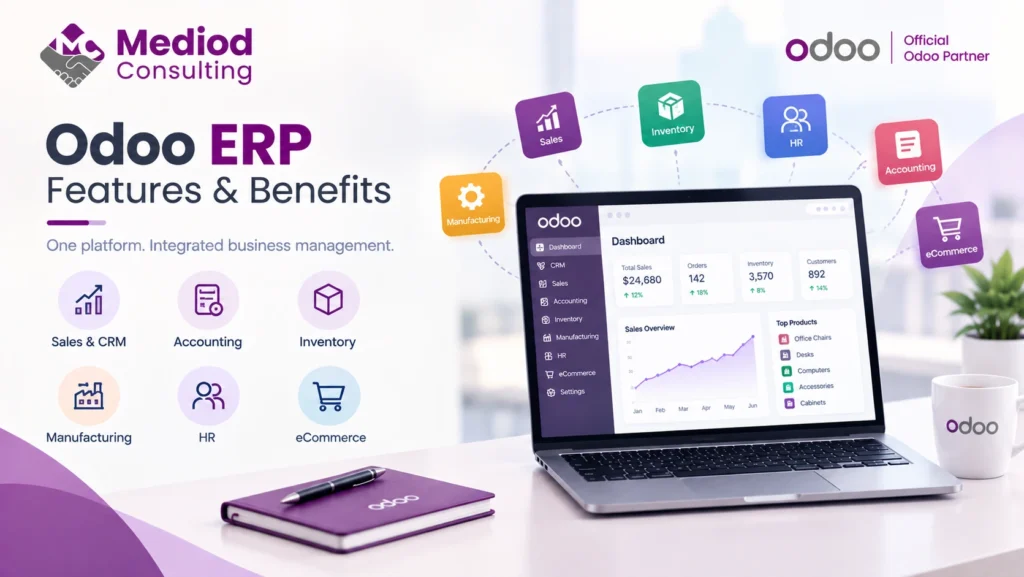
For many businesses, the answer is yes. Odoo offers a broad suite of integrated business applications, a modular architecture, customization capabilities, automation tools, and options for different deployment models. Odoo’s current application suite includes CRM, Sales, Accounting, Inventory, Manufacturing, Purchase, Ecommerce, Project, HR, Marketing, Helpdesk, and other business applications.
However, Odoo is not automatically the best ERP for every company.
The right question is not simply whether Odoo is a good ERP. It is whether Odoo is the right ERP for your business processes, budget, industry, and growth plans.
What Is Odoo ERP?
Odoo is an integrated suite of business applications designed to manage different areas of a company from a connected platform.
Instead of using completely separate applications for CRM, sales, inventory, purchasing, accounting, manufacturing, ecommerce, and project management, businesses can connect these processes within Odoo.
For example, a typical sales workflow can connect:
CRM → Quotation → Sales Order → Delivery → Invoice → Payment
Similarly, a manufacturing business can connect:
Sales → Procurement → Inventory → Manufacturing → Quality → Delivery → Accounting
This integrated approach is one of Odoo’s major advantages.
Why Is Odoo Considered a Good ERP?
Odoo can be a strong ERP choice because it combines a broad application ecosystem with a modular structure.
Businesses can start with the applications they need and expand the system as their requirements grow. Odoo’s documentation also supports installing, upgrading, and managing applications and modules within the database.
Some of the main advantages include:
- Integrated business applications
- Modular implementation
- Business process automation
- Customization options
- Third-party integrations
- Manufacturing and inventory functionality
- Accounting and financial management
- CRM and sales management
- Ecommerce capabilities
- Reporting and dashboards
- Multiple deployment options
But these advantages only translate into business value when Odoo is properly configured and implemented.
1. Odoo Connects Multiple Business Processes
One of the strongest reasons to consider Odoo is the connection between different departments.
A company may use Odoo for:
- CRM
- Sales
- Purchasing
- Inventory
- Manufacturing
- Accounting
- Ecommerce
- Projects
- Timesheets
- HR
- Marketing
- Helpdesk
Because these applications operate within the same ERP ecosystem, businesses can reduce the need to maintain duplicate information across completely separate systems.
For example, when a sales order is confirmed, it can trigger inventory and delivery processes. The resulting invoice can then be connected to the accounting workflow.
This creates greater visibility across the organization.
2. Odoo Is Highly Modular
Not every business needs every ERP application.
A small trading company might initially need:
CRM + Sales + Purchase + Inventory + Accounting
A manufacturing company might additionally require:
Manufacturing + Quality + Maintenance + PLM
An ecommerce business could add:
Website + Ecommerce + Inventory + Sales + Accounting
This modular approach allows businesses to build an ERP environment around their actual requirements rather than implementing every available application from day one.
3. Odoo Can Be Customized
Businesses rarely operate exactly like the standard workflows provided by an ERP.
Odoo provides several levels of customization.
These can include:
- Custom fields
- Custom views
- Automated actions
- Approval rules
- Reports
- Dashboards
- Workflow automation
- Odoo Studio
- Custom modules
- API integrations
Odoo Studio specifically provides tools for customizing applications, including fields, views, automation rules, PDF reports, and approval rules.
For more complex requirements, developers can build custom Odoo modules.
This means Odoo can be adapted to many business processes without necessarily forcing every company into exactly the same workflow.
However, customization should be controlled carefully. Too much customization can increase maintenance and make future upgrades more complicated.
4. Odoo Supports Business Process Automation
ERP automation can eliminate repetitive administrative work.
Examples include:
- Automated sales workflows
- Purchase approvals
- Inventory replenishment
- Invoice generation
- Payment reminders
- Automated emails
- Approval workflows
- Scheduled activities
- Automated notifications
- Data synchronization with external systems
For example:
Sales Order → Delivery → Invoice → Payment Follow-Up
can be connected through automated workflows instead of requiring employees to manually coordinate every step.
This can reduce repetitive work and allow employees to focus on higher-value activities.
5. Odoo Provides Strong Inventory and Manufacturing Capabilities
Odoo is not limited to CRM and accounting.
Its current application suite includes Inventory, Manufacturing, Purchase, Quality, Maintenance, PLM, Barcode, and related supply-chain applications.
This makes Odoo particularly relevant for:
- Manufacturers
- Distributors
- Wholesalers
- Trading companies
- Ecommerce businesses
- Companies managing multiple warehouses
Manufacturing businesses can use Odoo for processes such as:
- Bills of materials
- Manufacturing orders
- Work centers
- Work orders
- Inventory movements
- Procurement
- Quality control
- Maintenance
- Product lifecycle management
The exact functionality available depends on the Odoo edition, version, configuration, and implementation.
6. Odoo Can Support Ecommerce Businesses
Odoo also includes Website and Ecommerce applications.
This can allow businesses to connect ecommerce operations with other ERP processes such as:
Website → Ecommerce → Sales → Inventory → Delivery → Accounting
Businesses can also integrate Odoo with external ecommerce platforms when their existing online store needs to remain in place.
For example, Shopify can be integrated with Odoo to synchronize selected products, customers, orders, inventory, and other business information depending on the integration architecture.
This can be particularly useful for companies that want an ERP system behind their ecommerce operation rather than managing their online store and back-office processes separately.
7. Odoo Supports Integrations With External Systems
No ERP operates in isolation.
Businesses may already use:
- Shopify
- Amazon
- Payment gateways
- Accounting platforms
- Logistics systems
- CRM platforms
- Marketplaces
- HR systems
- Banking services
- Custom applications
Odoo can be connected to external applications through integrations and APIs.
Mediod Consulting provides Odoo integration services focused on connecting Odoo with third-party systems and creating synchronized business workflows.
A good integration strategy should define:
- Which system is the source of truth
- What data is synchronized
- How often synchronization occurs
- How errors are handled
- How duplicate records are prevented
- How integration failures are monitored
8. Odoo Can Scale With Growing Businesses
A business may start with a small number of users and relatively simple processes.
Over time, it may need:
- More users
- Additional warehouses
- Multiple companies
- Multiple currencies
- Manufacturing
- Ecommerce
- Advanced reporting
- More integrations
- More automation
Odoo’s modular approach allows businesses to add applications and functionality as requirements change.
However, scalability is not simply a matter of installing more applications.
Large or complex implementations require appropriate:
- Database architecture
- Server resources
- Integration design
- Custom module development
- Security configuration
- Performance monitoring
- Backup strategy
- Upgrade planning
For this reason, an experienced implementation team becomes increasingly important as the complexity of the ERP grows.
9. Odoo Offers Different Deployment Options
Businesses can choose different ways to run Odoo depending on their requirements.
Common options include:
Odoo Online
A cloud-hosted environment managed by Odoo.
This can be suitable for businesses that want a managed environment and do not require extensive custom development.
Odoo.sh
Odoo.sh provides a cloud development and hosting platform designed for Odoo projects that require greater flexibility, including custom modules and development workflows.
Self-Hosted Odoo
Businesses can host Odoo on their own infrastructure or through a cloud provider.
This can provide greater technical control but also means the business or its technical partner is responsible for infrastructure, security, backups, updates, and maintenance.
The best option depends on the company’s customization, hosting, security, technical, and operational requirements.
10. Odoo Has Community and Enterprise Editions
Odoo provides both Community and Enterprise editions.
Odoo 19 Community Edition is licensed under LGPLv3, while Enterprise is distributed under the Odoo Enterprise Edition License and requires a valid Enterprise subscription for production use.
The choice between the editions depends on the required functionality, hosting model, support requirements, and business needs.
For some small businesses, Community may be sufficient.
For businesses requiring additional Enterprise functionality and services, Enterprise may be the better option.
Is Odoo Good for Small Businesses?
Yes, Odoo can be a good ERP for small businesses, particularly when the company wants to replace spreadsheets or multiple disconnected applications.
A small business could start with:
- CRM
- Sales
- Purchase
- Inventory
- Accounting
As the company grows, it could add:
- Ecommerce
- Manufacturing
- Marketing
- Projects
- Helpdesk
- HR
The key is to avoid implementing more complexity than the business actually needs.
Is Odoo Good for Manufacturing Companies?
Odoo can be a strong option for manufacturing companies that need an integrated system covering sales, procurement, inventory, production, quality, and maintenance.
A manufacturing workflow could look like:
Sales Forecast → Procurement → Inventory → Manufacturing → Quality → Delivery → Accounting
Odoo’s application ecosystem includes Manufacturing, Quality, Maintenance, PLM, Inventory, Purchase, and Barcode functionality.
However, complex manufacturers should conduct a detailed requirements analysis before selecting Odoo. Highly specialized production processes may require configuration, customization, or third-party integrations.
Is Odoo Good for Service Businesses?
Odoo can also work well for professional and service-based organizations.
Relevant applications include:
- CRM
- Sales
- Project
- Timesheets
- Planning
- Field Service
- Helpdesk
- Accounting
A service business can connect:
Lead → Opportunity → Quotation → Project → Timesheet → Invoice
This can provide better visibility into project profitability and employee utilization.
What Are the Disadvantages of Odoo?
No ERP is perfect.
Before selecting Odoo, businesses should consider potential challenges.
Implementation Complexity
An ERP implementation can become complicated when there are many users, departments, integrations, custom workflows, or historical data requirements.
Customization Risk
Customization can solve business problems, but excessive customization can increase maintenance costs and complicate future upgrades.
Data Migration
Moving from an existing ERP or accounting system requires careful data analysis, cleaning, mapping, testing, and validation.
User Adoption
Employees need training and support to successfully adopt a new ERP.
Implementation Quality
A poorly planned implementation can cause problems even when the underlying ERP platform is capable.
The quality of the implementation is therefore just as important as the software itself.
Odoo vs Traditional ERP Systems
Odoo is often considered by companies that want an ERP platform without the complexity associated with some traditional enterprise ERP implementations.
The right comparison depends on the business.
For example:
| Requirement | Odoo | Traditional Enterprise ERP |
|---|---|---|
| Modular applications | Strong | Strong |
| Customization | High | High |
| Small-business suitability | Strong | Varies |
| Manufacturing | Strong | Strong |
| Ecommerce | Strong | Varies |
| Implementation complexity | Low to high depending on scope | Often high |
| Ecosystem | Broad | Broad |
| Integration | APIs and connectors | APIs and connectors |
| Enterprise scalability | High with appropriate architecture | High |
There is no universal winner.
The right ERP depends on business requirements, budget, industry, implementation strategy, and long-term goals.
How Much Does Odoo Cost?
The cost of Odoo depends on several factors, including:
- Number of users
- Odoo edition
- Applications required
- Implementation scope
- Customization
- Data migration
- Integrations
- Hosting
- Training
- Ongoing support
The subscription price is therefore only one component of the overall ERP investment.
Businesses should consider the total cost of ownership, including implementation and ongoing maintenance.
How to Determine Whether Odoo Is Right for Your Business
Before selecting Odoo, evaluate your business in several areas.
1. Business Processes
Document how your company currently operates.
2. Software Requirements
Identify which applications you actually need.
3. Integration Requirements
List the external systems that need to remain connected.
4. Data Migration
Determine which historical information needs to move into Odoo.
5. Customization
Separate genuine business requirements from preferences based on the old system.
6. Budget
Consider subscription, implementation, customization, migration, integration, training, and support costs.
7. Growth
Consider where the business will be in three to five years rather than only what it needs today.
Not sure what your own Odoo costs would look like? Get a free, no-obligation quote from Mediod Consulting — we’ll scope your requirements and give you a real number, not a guess.
How to Successfully Implement Odoo
Selecting Odoo is only the beginning.
This is exactly where most Odoo projects succeed or stall. Talk to Mediod Consulting’s implementation team before you start — a short scoping call now can save weeks of rework later.
A successful implementation normally involves:
- Requirements analysis
- Business process mapping
- Solution design
- Odoo configuration
- Custom development where necessary
- Data migration
- Integration development
- Testing
- User training
- User acceptance testing
- Go-live
- Post-go-live support
Mediod Consulting follows a structured implementation approach covering requirements, configuration, custom development, migration, testing, training, go-live support, and ongoing maintenance.
So, Is Odoo a Good ERP?
Yes, Odoo can be an excellent ERP for many businesses, but it is not automatically the right choice for every company.
Odoo is particularly attractive when a business needs:
- An integrated ERP platform
- Multiple connected applications
- Business process automation
- Customization
- Ecommerce integration
- Manufacturing and inventory management
- CRM and sales management
- Accounting
- Flexible deployment options
- A system that can grow with the business
The most important factor is not simply choosing Odoo.
It is implementing Odoo correctly.
A well-designed implementation can simplify processes, eliminate duplicate work, improve reporting, and give management better visibility into the business.
A poorly designed implementation can create unnecessary customization, data problems, user resistance, and higher long-term costs.
Final Verdict
If your business has outgrown spreadsheets, disconnected applications, or manual processes, Odoo is worth evaluating as an ERP platform.
It can provide a broad range of integrated applications while allowing businesses to start with the functionality they need and expand over time.
However, businesses should evaluate Odoo based on their specific industry, processes, integrations, budget, data requirements, and future growth.
The best ERP is not necessarily the one with the most features.
It is the one that fits your business processes, can be implemented successfully, and delivers measurable business value.
If you are considering Odoo for your business, Mediod Consulting can help with requirements analysis, Odoo implementation, customization, integrations, data migration, training, and ongoing support.
Get Started with Mediod Consulting
If the answer to “is Odoo a good ERP?” is starting to look like “yes, for my business” — the next step is a real conversation, not more research. Mediod Consulting is a certified Odoo Partner, and we offer free initial consultations to assess whether Odoo fits your specific processes before you commit to anything.
Want to try Odoo yourself first? Start a free Odoo trial — sign up through that link and email info@mediodconsulting.com for a 22% discount on your subscription, before or after you buy. Already have Odoo and need help getting more out of it? Our support and maintenance team can help, or hire our developers for custom work.
Frequently Asked Questions
Is Odoo a reliable ERP?
Odoo is a mature ERP platform with applications covering CRM, sales, accounting, inventory, manufacturing, ecommerce, HR, projects, marketing, and other business functions. The reliability of a particular implementation also depends on configuration, infrastructure, customization, backups, integrations, and ongoing maintenance.
Is Odoo good for small businesses?
Yes. Odoo can be suitable for small businesses because companies can start with a limited number of applications and expand as their requirements grow.
Is Odoo good for manufacturing?
Yes. Odoo provides applications for manufacturing, inventory, purchasing, quality, maintenance, PLM, and related supply-chain processes.
Can Odoo be customized?
Yes. Odoo can be configured and customized using features such as Studio, automated actions, approval rules, custom modules, and integrations.
Can Odoo replace multiple business applications?
In many cases, yes. Odoo’s integrated application suite can cover CRM, sales, purchasing, inventory, accounting, manufacturing, ecommerce, projects, HR, marketing, and other functions.
Is Odoo better than SAP or Microsoft Dynamics?
There is no universal answer. Odoo can be particularly attractive to small and medium-sized businesses and companies looking for a flexible integrated ERP, while SAP and Microsoft Dynamics may be better suited to particular enterprise requirements. The comparison should be based on business processes, budget, industry, scalability, integrations, and implementation requirements.
How much does Odoo cost?
Odoo’s total cost depends on users, edition, applications, implementation, customization, migration, integrations, hosting, training, and support.
Should I choose Odoo Community or Enterprise?
That depends on the functionality and services your business requires. Odoo Community is licensed under LGPLv3, while Enterprise requires an Enterprise subscription for production use.
Do I need an Odoo implementation partner?
A partner can be especially valuable when the project involves complex business processes, data migration, custom development, integrations, accounting requirements, manufacturing, or multiple companies.
How long does an Odoo implementation take?
There is no universal timeline. Implementation duration depends on the number of users, modules, business complexity, data migration, integrations, customization, testing, and training requirements.