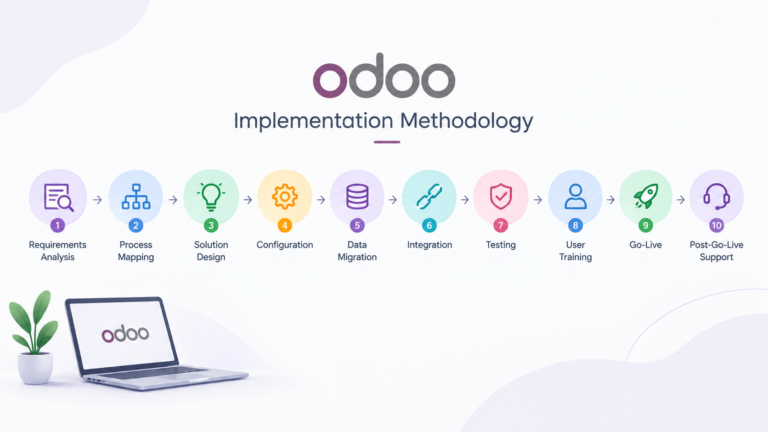
Most Odoo implementation failures we’re brought in to fix afterward trace back to a step that was skipped, not a step that was done badly. A checklist doesn’t replace proper project management, but it catches the gaps that a busy team, mid-project, tends to miss.
Before the project starts
- Document current business processes, not the ideal version — how work actually gets done today, including the workarounds.
- Identify every system Odoo needs to connect to or replace (accounting software, ecommerce platform, spreadsheets used as informal systems of record).
- Assign a single internal decision-maker with authority to sign off on configuration choices. Committee-by-committee approval is the most common cause of stalled timelines.
- Set a realistic go-live target based on scope, not on a date picked first and worked backward from.
During requirements and design
- Map each core workflow end to end (quote-to-cash, procure-to-pay, or your business’s equivalent) before configuring anything.
- Flag every point where your current process doesn’t match Odoo’s standard flow, and decide deliberately whether to adapt the process or configure a customization — don’t leave this implicit.
- Confirm which Odoo applications are actually needed for go-live versus which can be phased in later.
- Get sign-off on the solution design before configuration starts. A design approved after the fact isn’t a design, it’s a rationalization.
During data migration
- Audit source data for duplicates, missing fields, and inconsistent formatting before exporting it, not after the import fails.
- Decide explicitly how much historical data actually needs to migrate versus what can stay archived in the old system for reference.
- Run at least one full test migration into a staging database before the final production migration.
- Validate migrated data against source records — record counts, key totals, and a manual spot-check of a sample, not just “it imported without an error.”
Before go-live
- Test every core workflow end to end in the configured system, using realistic data, not the demo dataset.
- Confirm integrations actually exchange data correctly in both directions, not just that the connection is established.
- Verify user access rights match actual job responsibilities — both that people can do what they need to, and that they can’t do what they shouldn’t.
- Train users on their specific workflows, not a generic tour of every application.
- Have a rollback or fallback plan for go-live day, even if you don’t expect to need it.
After go-live
- Plan for a stabilization period with fast access to support — issues that only appear under real usage need quick resolution, not a two-week ticket queue.
- Review actual usage against the planned workflows after the first few weeks, and adjust configuration where real usage reveals a gap.
- Document any customizations made, so they’re accounted for the next time Odoo is upgraded.
Frequently asked questions
What’s the single most commonly skipped step?
Data validation after migration. Teams check that the import ran without errors, but skip verifying the migrated data is actually correct — which is a different, more important check.
Should we test with real data or demo data?
Real data, or a realistic anonymized sample. Testing with demo data can pass cleanly while missing edge cases that only exist in your actual business data.
Do we need a rollback plan if we’re confident in the implementation?
Yes. A rollback plan costs little to prepare and matters enormously on the rare occasion something unexpected surfaces on go-live day.
For a checklist tailored to your specific implementation, see our Odoo Implementation Services page, or talk to us directly about your project.