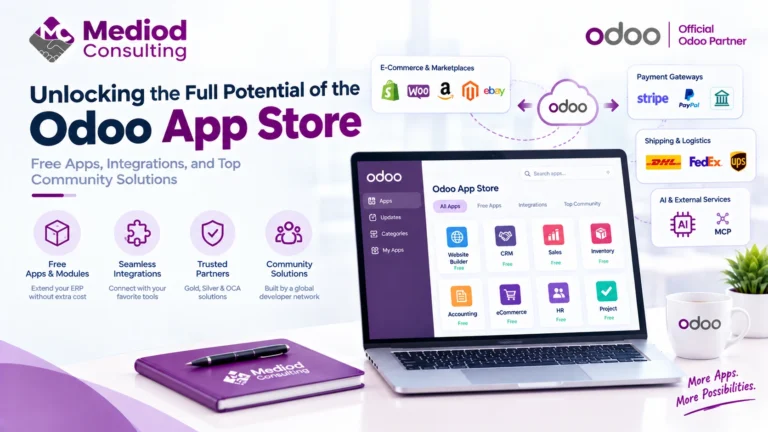
One of the first things that confuses people evaluating Odoo is the sheer number of modules in the app store — over 40 official apps, plus thousands of community and third-party add-ons. Most businesses never touch more than 8 to 12 of them. The trick is knowing which ones actually matter for your operation and which ones are noise.
What an Odoo module actually is
In Odoo, a “module” (Odoo calls them “apps”) is a self-contained piece of functionality — Sales, Inventory, Accounting, Manufacturing, and so on — that can be installed independently and that shares the same underlying database and user interface. That shared-database part is the whole point: a sales order in the Sales app automatically creates a delivery in Inventory and an invoice in Accounting, without anyone re-entering data.
This is different from bolting together separate best-of-breed tools. It’s also why module selection matters more in Odoo than in a typical SaaS stack — the modules you install shape what your team sees and how data flows between departments.
The core modules most businesses actually use
Sales — quotations, sales orders, and pricing. This is usually the first module any company touches.
CRM — pipeline and lead management, tightly linked to Sales so a won opportunity becomes a quotation with one click.
Inventory — stock tracking, warehouse routes, and reordering rules. Even service businesses that hold no physical stock sometimes use a stripped-down version of this for asset tracking.
Accounting / Invoicing — the financial backbone. We’ve written a full breakdown of this in our Odoo Accounting guide.
Purchase — vendor management and purchase orders, feeding directly into Inventory and Accounting.
Manufacturing (MRP) — bills of materials, work orders, and production planning for companies that build products rather than resell them. See our Odoo Manufacturing guide for detail.
Project — task and timesheet management, common for service and consulting businesses.
Point of Sale — in-person retail checkout, synced live with Inventory and Accounting.
Modules most businesses can skip at first
Odoo’s app store includes modules for niche use cases — Field Service, Rental, Subscriptions, Marketing Automation, eLearning — that are genuinely useful for specific business models but add configuration overhead for everyone else. We generally recommend implementing the modules a business needs on day one, and adding others later once the core workflow is stable. Installing everything up front is one of the more common ways an Odoo rollout gets needlessly complicated.
How modules connect to each other
The value of Odoo’s modules isn’t any single app — it’s the connections between them. A quotation accepted in Sales creates a delivery order in Inventory; confirming that delivery updates stock levels and can auto-generate the customer invoice in Accounting. None of that requires middleware or a sync job, because every module reads and writes to the same database.
That said, those connections only work well when the modules are configured to match how your business actually operates — not left on default settings. This is where most of the real implementation work happens, and it’s worth getting a second opinion from someone who has configured this combination before, rather than discovering the gaps after go-live.
Frequently Asked Questions
How many modules does a typical Odoo implementation use?
Most small and mid-sized businesses run with somewhere between 6 and 12 modules active. Larger, multi-department companies can run 15 or more, but it’s rarely a good idea to enable modules “just in case” — each one adds settings, permissions, and workflows your team has to understand.
Do all Odoo modules cost extra?
Core modules are included in both the Community and Enterprise editions, though some modules (like advanced Manufacturing or full Accounting) are Enterprise-only. See our Community vs Enterprise comparison for the exact breakdown.
Can I add modules after the initial implementation?
Yes — this is one of Odoo’s real strengths. Most businesses start with a core set and add modules like Field Service or Subscriptions once the original rollout has stabilized.
Get the Right Modules from the Start
Choosing which Odoo modules to implement — and configuring them so they actually talk to each other the way your business needs — is exactly the kind of decision worth getting right the first time. Talk to Mediod Consulting about scoping the right module set for your business before you start clicking “Install.”