The Odoo app store is genuinely one of its strengths — and also one of the easiest places to make an expensive mistake. Installing every app that looks useful during onboarding is one of the more common ways a rollout gets bloated and confusing before it even goes live.
Start from the problem, not the app store
We usually tell clients to write down the three or four operational problems they’re actually trying to solve — disconnected inventory and accounting, a sales pipeline living in someone’s inbox, invoices that take too long to issue — before opening the app store at all. Every app should map back to one of those problems. If it doesn’t, it’s not part of the first rollout.
A practical priority order
For most businesses, we recommend this rough sequence: get the core transactional apps live first — Sales, Inventory, Accounting/Invoicing — since these form the backbone every other app connects to. Add CRM once the sales process itself is stable. Add Purchase once you need structured vendor management rather than ad-hoc buying. Save specialized apps — Manufacturing, Project, Point of Sale, Field Service — for once the core is running smoothly and the specific need is confirmed, not hypothetical.
This isn’t a universal rule — a manufacturing business obviously needs MRP from day one — but the underlying principle holds: implement what solves a confirmed problem now, and treat “might be useful later” apps as a phase-two decision.
Free vs paid apps in the store
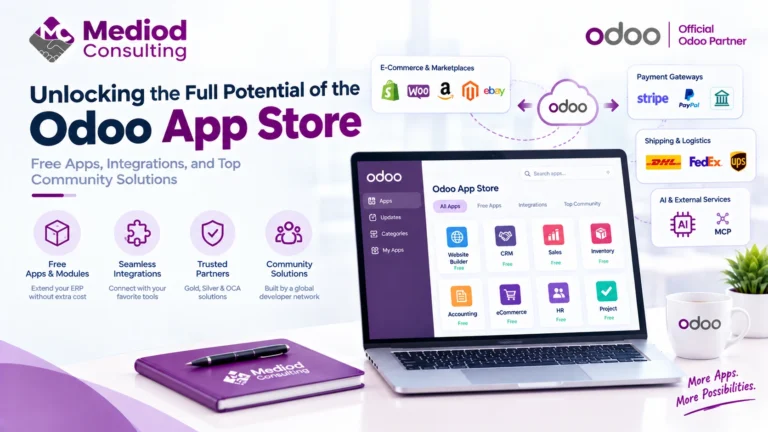
Beyond Odoo’s own official modules, the app store includes thousands of third-party and community apps, ranging from free to paid one-time or subscription add-ons. These can genuinely fill gaps — industry-specific reporting, regional tax compliance, niche integrations — but they vary widely in quality and maintenance. We generally recommend checking an app’s update history and review count before installing it in a production database, and testing it in a staging environment first if that’s available to you.
Signs you’ve chosen the wrong app for the job
A few patterns that usually mean a wrong fit: your team needs a workaround to make the app do what your process actually requires, the app duplicates functionality a core module already handles, or nobody on the team can explain why it was installed six months later. Any of those is a sign to remove it rather than keep configuring around it.
Frequently Asked Questions
How many Odoo apps should a new implementation start with?
Most first-phase rollouts we run involve 3–6 apps. More than that in phase one usually means the scope wasn’t narrowed enough before kickoff.
Are third-party Odoo apps safe to install?
Most are, but quality varies. Check the app’s maintenance history, review score, and whether it’s actively updated for your Odoo version before installing it on a live database.
Can I remove an Odoo app after installing it?
Yes, though removing an app that already has transactional data tied to it needs care — test in a staging environment first where possible.
Get the App Selection Right the First Time
Choosing the right starting app set is one of the highest-leverage decisions in an Odoo rollout. Talk to Mediod Consulting about scoping your first-phase app list before you start installing.