Going live with Odoo is not the end of an ERP implementation.
In many ways, it is the beginning of the next phase.
Once employees start using Odoo in their daily operations, new requirements, questions, configuration issues, integration problems, reporting needs, and optimization opportunities will naturally appear.
This raises an important question for businesses implementing Odoo:
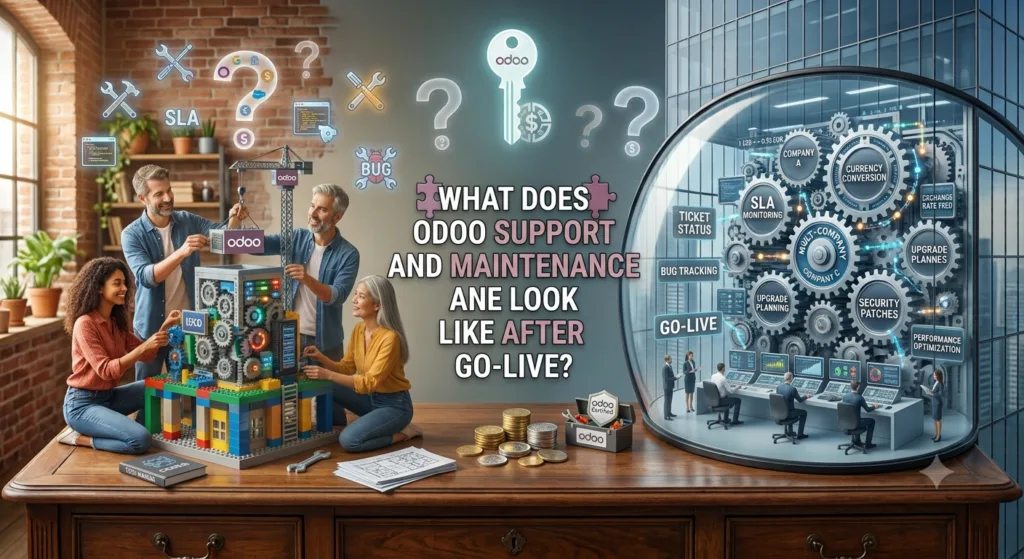
What does Odoo support and maintenance look like after go-live?
A good Odoo support strategy should help keep the system stable, secure, up to date, and aligned with the company’s changing business requirements.
At Mediod Consulting Pvt Ltd, we provide ongoing Odoo support and maintenance to help businesses manage their ERP after implementation, from troubleshooting and configuration changes to custom development, integrations, upgrades, and optimization.
What Happens After Odoo Goes Live?
During implementation, the focus is usually on:
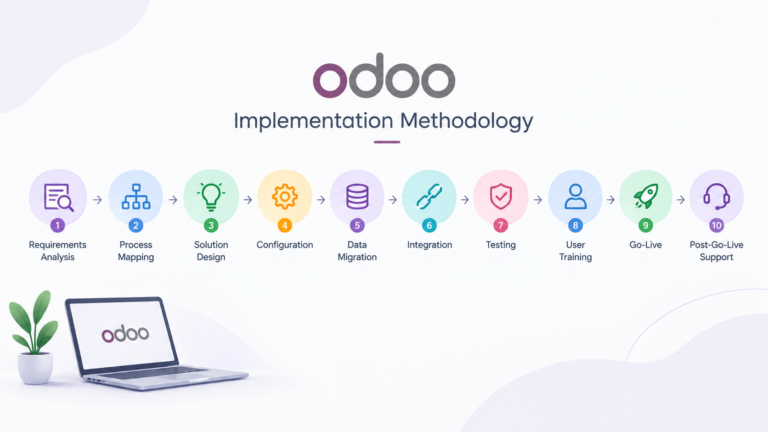
Planning → Configuration → Development → Migration → Testing → Training → Go-Live
After go-live, the focus changes to:
Support → Monitoring → Optimization → Maintenance → Improvements → Upgrades
The first few weeks can be particularly important.
Users are working with real customers, real orders, real invoices, real inventory, and real accounting transactions.
Issues that were not visible during testing may become apparent.
For example:
- A user cannot complete a workflow
- A report needs additional information
- An automated action does not work as expected
- An integration fails
- A customer invoice requires a change
- Inventory operations need adjustment
- Users need additional training
An experienced Odoo support partner can help resolve these issues quickly.
What Is Odoo Support?
Odoo support generally involves helping users and administrators resolve problems or make changes to the system.
Support requests may include:
- User questions
- Configuration changes
- Workflow issues
- Accounting problems
- Access-right problems
- Reporting requests
- Email issues
- Inventory problems
- Sales workflow questions
- CRM configuration
- Website issues
- Integration errors
Not every support request requires development.
Often, an experienced Odoo consultant can solve an issue through configuration or explain the correct standard Odoo workflow.
What Is Odoo Maintenance?
Odoo maintenance is broader than user support.
Maintenance can include:
- Monitoring system performance
- Reviewing logs
- Managing updates
- Maintaining custom modules
- Checking integrations
- Reviewing scheduled actions
- Managing backups
- Monitoring storage
- Fixing bugs
- Applying security updates
- Optimizing performance
- Testing changes
The objective is to keep the Odoo environment reliable over the long term.
Why Odoo Support Is Important After Go-Live
An ERP becomes part of the daily operation of a business.
If Odoo stops working correctly, it can affect:
- Sales
- Purchasing
- Inventory
- Manufacturing
- Accounting
- Customer service
- Ecommerce
- HR
- Reporting
For example, if an ecommerce integration stops synchronizing orders, the business may not be able to process new orders correctly.
If an accounting configuration is incorrect, financial reporting may be affected.
If inventory synchronization fails, stock quantities may become inaccurate.
This is why ongoing Odoo support can be important even after a successful implementation.
What Should Odoo Support Include?
A good Odoo support arrangement can include several levels of assistance.
1. Functional Support
Functional support helps users understand and operate Odoo correctly.
Examples include:
- How to create quotations
- How to process purchase orders
- How to validate inventory transfers
- How to create invoices
- How to reconcile payments
- How to manage CRM opportunities
- How to configure products
- How to generate reports
Functional support can also identify when users are working around Odoo instead of using the intended workflow.
2. Technical Support
Technical support is required when the problem involves the underlying Odoo system.
Examples include:
- Python errors
- Server errors
- Database problems
- Custom module bugs
- API errors
- Integration failures
- Performance problems
- Scheduled action failures
Technical Odoo support generally requires development and server knowledge rather than only functional Odoo expertise.
3. Odoo Configuration Support
As your business changes, Odoo configuration may also need to change.
For example:
- New users
- New warehouses
- New taxes
- New products
- New approval rules
- New sales teams
- New accounting journals
- New payment methods
These changes may not require custom development.
A consultant can often implement them through standard Odoo configuration.
4. Custom Development Support
If your Odoo environment contains custom modules, those modules require ongoing maintenance.
A custom module may need changes because:
- Business requirements changed
- A bug was discovered
- Another module changed
- An integration changed
- A new Odoo version was introduced
This is why businesses should maintain documentation for custom Odoo development.
5. Integration Support
Many Odoo installations connect to external systems.
For example:
Odoo ↔ Ecommerce Platform
Odoo ↔ Payment Provider
Odoo ↔ Shipping Provider
Odoo ↔ Accounting System
Odoo ↔ CRM
If an external API changes, the Odoo integration may stop working.
Integration monitoring and troubleshooting should therefore be part of an appropriate support strategy.
What About Odoo Backups?
Backups are an important part of ERP maintenance.
Businesses should consider:
- Database backups
- Filestore backups
- Backup frequency
- Backup retention
- Off-site backups
- Backup monitoring
- Restoration testing
A backup is only useful if it can actually be restored.
For critical Odoo environments, restoration procedures should therefore be tested periodically.
Odoo Performance Monitoring
As the database grows, performance can change.
For example, a company may start with:
10 users + 5,000 records
and eventually reach:
100 users + millions of records
Performance can be affected by:
- Database size
- Custom modules
- Inefficient queries
- Large reports
- Scheduled jobs
- Integrations
- Server resources
- Poorly designed customizations
Ongoing monitoring can help identify performance issues before they become serious operational problems.
Odoo Security Maintenance
Security should also be considered after go-live.
An Odoo maintenance strategy may include reviewing:
- User access
- Administrator accounts
- Password policies
- Access rights
- API credentials
- External integrations
- Server security
- SSL certificates
- Backup security
Employees also leave companies or change roles.
Their Odoo access should be reviewed and updated accordingly.
Odoo Upgrades After Go-Live
One of the most important long-term considerations is upgrading Odoo.
For example:
Odoo 18 → Odoo 19
An upgrade may involve:
- Database migration
- Custom module migration
- Third-party application compatibility
- Testing
- Integration testing
- Accounting validation
- User acceptance testing
The more heavily customized an Odoo system is, the more important upgrade planning becomes.
This is why custom development should be designed with future upgrades in mind.
Should You Upgrade Odoo Every Year?
Not necessarily.
The right upgrade strategy depends on your business requirements, Odoo version, customizations, integrations, and operational priorities.
Before upgrading, businesses should consider:
- What benefits does the new version provide?
- Are required applications compatible?
- Are custom modules compatible?
- Are integrations compatible?
- Is the current version still suitable?
- How much testing is required?
- What downtime is expected?
An upgrade should be treated as a project rather than simply clicking an update button.
Odoo Support During the First 30–90 Days
The period immediately after go-live can require additional support.
During this period, businesses may discover:
- Missing configurations
- User training gaps
- Reporting requirements
- Workflow improvements
- Data issues
- Integration problems
- Permission problems
A structured post-go-live support period can help stabilize the system.
For example:
First 30 Days
Focus on urgent issues and user adoption.
30–60 Days
Optimize workflows and reporting.
60–90 Days
Review performance, automation, and future improvements.
This creates a transition from implementation to normal ongoing support.
Odoo Support Retainer vs Hourly Support
Businesses generally have different options for ongoing Odoo support.
Hourly Odoo Support
You pay for the actual time used.
This can be suitable when:
- Support requirements are low
- The system is relatively stable
- Issues occur occasionally
Monthly Odoo Support Retainer
The business pays a fixed monthly amount for an agreed level of support.
This can be useful when:
- Odoo is critical to daily operations
- There are regular support requests
- The business has ongoing development requirements
- Response time is important
Dedicated Odoo Support
Larger businesses may require dedicated consultant or development resources.
This can be useful for complex environments with:
- Multiple companies
- Large user bases
- Custom modules
- Multiple integrations
- High transaction volumes
The appropriate model depends on the business’s requirements.
What Should an Odoo SLA Include?
If you use a formal support agreement, it is useful to define a Service Level Agreement (SLA).
An SLA can specify:
- Support hours
- Response time
- Priority levels
- Communication channels
- Emergency support
- Resolution targets
- Included services
- Excluded services
For example:
Critical
System unavailable or major business process blocked.
High
Important functionality affected but work can continue.
Medium
Non-critical issue affecting some users.
Low
General question, improvement, or configuration request.
Clear priorities help both the business and the support provider manage expectations.
Odoo Support Is More Than Fixing Bugs
A strong Odoo support relationship should not only react to problems.
It should also identify opportunities to improve the system.
For example:
Manual Process
Employee exports data to Excel every week.
↓
Odoo Improvement
Create an automated report.
Or:
Manual Process
Employee creates the same project tasks for every new order.
↓
Odoo Improvement
Automate project creation and task generation.
Over time, these improvements can reduce administrative work and increase the value of your Odoo investment.
How Odoo Support Helps With Business Growth
Your business processes will change as the company grows.
You may add:
- New employees
- New products
- New warehouses
- New countries
- New companies
- New currencies
- New sales channels
- New ecommerce platforms
- New integrations
Your Odoo environment needs to evolve with those changes.
For example:
10 Employees
CRM + Sales + Accounting
↓
30 Employees
Purchase + Inventory + Projects
↓
75 Employees
Manufacturing + HR + Ecommerce
↓
International Expansion
Multi-company + Multi-currency + Integrations
Odoo support can help manage these transitions.
Common Odoo Support Problems
Some of the most common post-go-live problems include:
Users Cannot Access a Record
Usually related to access rights or record rules.
Automated Action Is Not Working
May require configuration or technical investigation.
Invoice Cannot Be Posted
Could be caused by accounting configuration, journals, taxes, or data issues.
Inventory Quantity Is Incorrect
May require investigation of stock moves, locations, reservations, or adjustments.
Integration Has Stopped
Could be related to API changes, authentication, network issues, or custom code.
Odoo Is Slow
May require analysis of database performance, custom code, server resources, or scheduled jobs.
Report Is Missing Information
May require configuration or custom reporting.
The important thing is to identify the root cause, rather than simply applying a temporary workaround.
How to Choose an Odoo Support Partner
If you are selecting an Odoo support provider, consider:
Odoo Experience
Does the provider understand the Odoo version you use?
Functional Knowledge
Can they understand your business processes?
Technical Expertise
Can they troubleshoot custom modules and integrations?
Accounting Knowledge
Can they safely work with accounting-related issues?
Response Time
How quickly will they respond to urgent problems?
Documentation
Do they document changes and solutions?
Upgrade Experience
Can they help you migrate to future Odoo versions?
Long-Term Approach
Will they proactively improve the system rather than simply fix tickets?
Why Businesses Should Not Ignore Odoo Maintenance
An ERP can continue running for years without proper maintenance, but that does not mean it is operating optimally.
Over time:
- Custom code becomes outdated
- Integrations change
- User permissions become messy
- Database size increases
- Reports become slower
- Business processes change
- Security requirements evolve
- New Odoo versions become available
Regular maintenance can help prevent small issues from becoming expensive problems.
How Mediod Consulting Provides Odoo Support and Maintenance
At Mediod Consulting Pvt Ltd, we support businesses after Odoo implementation with both functional and technical expertise.
Our support can include:
- Odoo functional support
- Odoo technical support
- Bug fixing
- Custom development
- Odoo Studio changes
- Configuration
- Accounting support
- CRM and Sales support
- Inventory support
- Manufacturing support
- HR and Payroll support
- Integration troubleshooting
- API support
- Performance optimization
- Backup and deployment guidance
- Odoo upgrades
- Custom module maintenance
- Reporting improvements
- User training
We can work with businesses that have implemented Odoo through Mediod Consulting as well as companies that need assistance with an existing Odoo environment.
Our approach is to understand the issue first, identify the root cause, and then recommend the most appropriate solution.
That may be a configuration change, user training, process improvement, bug fix, custom development, or larger system optimization.
Frequently Asked Questions
Is Odoo support necessary after implementation?
Ongoing support is not mandatory for every business, but it can be valuable when Odoo is critical to daily operations or when the system includes customizations and integrations.
What does Odoo maintenance include?
Odoo maintenance can include configuration changes, bug fixes, custom module maintenance, integration troubleshooting, performance monitoring, backups, security reviews, and upgrade preparation.
How much does Odoo support cost?
The cost depends on the support model, system complexity, number of users, customizations, integrations, and required response times. Businesses can use hourly support, monthly retainers, or dedicated support arrangements.
Can another Odoo partner support my existing Odoo system?
Yes. An experienced Odoo consultant can review an existing implementation, understand its configuration and customizations, and provide ongoing support.
Do custom Odoo modules require maintenance?
Yes. Custom modules should be maintained as business requirements, Odoo versions, integrations, and dependencies change.
Does Odoo support include upgrades?
Upgrade support can be included in a maintenance arrangement, although major version upgrades are usually treated as separate projects because they require planning, migration, testing, and validation.
How often should Odoo be reviewed?
The appropriate frequency depends on the system. Critical environments may benefit from regular monitoring and periodic reviews, while smaller systems may require less frequent maintenance.
Final Thoughts
Odoo go-live is not the finish line. It is the beginning of your long-term ERP journey.
After implementation, businesses need to keep their Odoo system aligned with changing users, processes, integrations, and business requirements.
A strong Odoo support and maintenance strategy can include:
Functional Support → Technical Support → Bug Fixing → Performance → Security → Integrations → Custom Development → Upgrades → Continuous Improvement
The right level of support depends on your company’s size and how critical Odoo is to your operations.
A small business may only need occasional consulting.
A growing company may benefit from a monthly support arrangement.
A larger organization with multiple companies, integrations, and custom modules may need structured ongoing technical and functional support.
At Mediod Consulting Pvt Ltd, we help businesses keep their Odoo systems reliable, maintainable, and aligned with their changing requirements.
Already using Odoo and need ongoing support or maintenance? Contact Mediod Consulting Pvt Ltd to discuss your Odoo support requirements.